
As an Amazon Associate, we earn from qualifying purchases at no extra cost to you.
Our Verdict
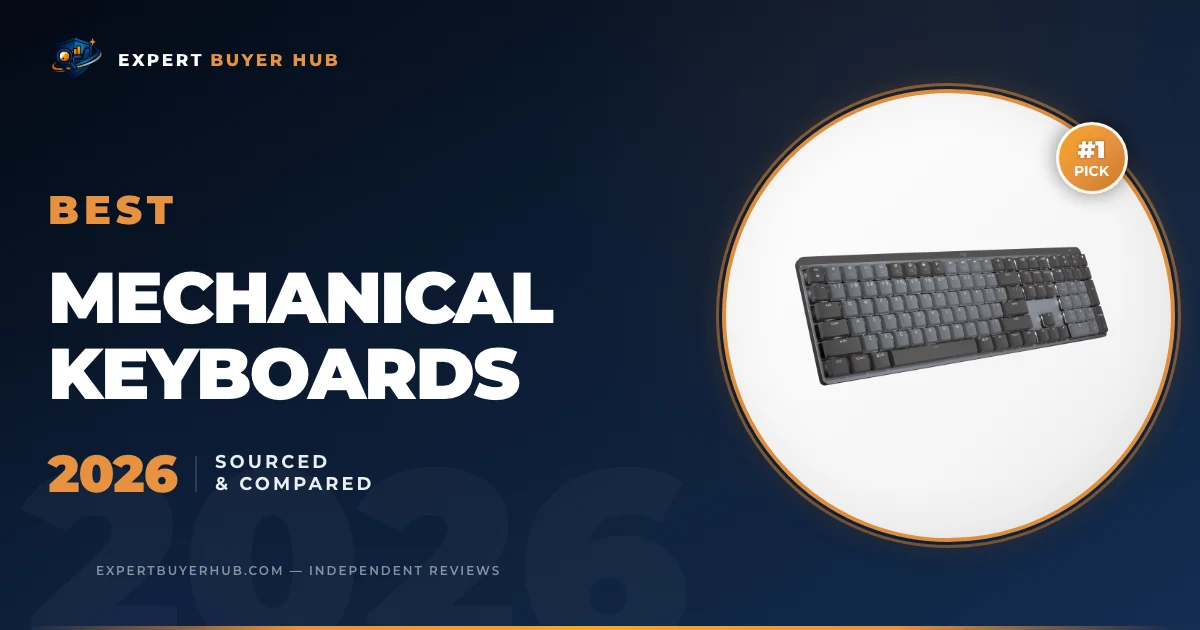
The Logitech MX Mechanical stays in first place for a mixed work setup because it combines a full-size layout, low-profile switches, backlighting, and three-device wireless switching. The Keychron Q1 Max is the better fit for buyers who want an aluminum 75% board with hot-swap sockets and deeper firmware customization. For competitive gaming features, the Corsair K70 MAX offers adjustable magnetic switches and an 8,000 Hz maximum USB report rate, but it is wired and depends on iCUE for full configuration.
This is a sourced comparison, not a controlled hands-on test. We checked exact-model manufacturer documentation, the five existing Amazon listings, layout and connectivity, switch implementation, programmability, and the reasons each keyboard may be the wrong choice. We did not independently measure latency, acoustics, battery runtime, switch force, typing speed, or gaming performance.
Our Top 3 Picks at a Glance
Quick Comparison — All 5 Finalists
| Model | Best fit and watch-outs |
|---|---|
| Logitech MX Mechanical | Work and multi-device use; full-size width and no hot-swap sockets. |
| Keychron Q1 Max | Premium customization; heavy 75% board and 90 Hz Bluetooth polling. |
| Corsair K70 MAX RGB | Adjustable gaming controls; wired only and full setup relies on iCUE. |
| SteelSeries Apex Pro | Full-size magnetic-switch alternative; legacy specifications vary by revision. |
| Keychron C3 Pro listing | Wired TKL with a revision caveat; verify polling, lighting and hot-swap details. |
How We Compared
We kept the existing five-product ranking and ASIN order, then checked each section against current manufacturer documentation. The main sources were Logitech’s MX Mechanical specifications, Keychron’s pages for the Q1 Max and C3 Pro, Corsair’s K70 MAX product specifications, and SteelSeries’ Apex Pro product page.
Our ranking favors fit rather than one headline number. We compared layout, wired and wireless modes, hot-swap support, configuration software, onboard controls, documented battery figures, and practical drawbacks. Polling rate and adjustable actuation can matter in some games, but a manufacturer maximum does not prove lower real-world latency or better play. For desk ergonomics, OSHA recommends keeping the keyboard directly in front of the user with shoulders relaxed and wrists in line with the forearms; the smallest or most adjustable keyboard is not automatically the most comfortable. See the OSHA keyboard guidance.
#1 Logitech MX Mechanical — Best Overall for Work

- Tactile Quiet mechanical key switches with a satisfying tactile bump you feel - for precise feedback, reactive key reset, and less noise so your typing doesn't disturb those around you
- Low-profile keys, more comfort: A keyboard layout designed for effortless precision, with a full-size form factor and low-profile mechanical switches for better ergonomics
- Smart illumination: Backlit keys light up the moment your hands approach the cordless keyboard and automatically adjust to suit changing lighting conditions
- Faster workflow, more customization: Customize Fn keys, assign backlighting effects, enable Flow cross-computer, multi-device control, and more in the improved Logi Options+ (1)
- Multi-device, multi-OS: Pair MX Mechanical Bluetooth wireless keyboard with up to 3 devices on nearly any operating system via Bluetooth Low Energy or included Logi Bolt receiver(2)

The MX Mechanical ranks first because its full-size layout, low-profile switches, and multi-device controls suit a broad office setup. Logitech documents Logi Bolt and Bluetooth Low Energy connectivity, Easy-Switch pairing for up to three devices, proximity-activated white backlighting, and support for Windows, macOS, ChromeOS, Linux, and iPadOS. The full-size model measures 433.85 by 131.55 by 26.1 mm and weighs 828 grams.
Logitech rates the battery for up to 15 days with backlighting or 10 months without it, with a four-hour full charge. Those are manufacturer maximums, not EBH runtime measurements. The main compromise is customization: this is a polished productivity keyboard, not a hot-swappable enthusiast board. Buyers who want to change switches, build custom layers in QMK, or tune gaming actuation should choose another model.
Who It’s For
Choose the MX Mechanical if you need a numpad, regularly move between computers or tablets, and prefer a lower-profile mechanical feel. Skip it if switch replacement, open firmware, compact mouse space, or gaming-specific controls matter more than straightforward office use.
Pros & Cons
- Full-size layout with integrated numpad
- Logi Bolt and Bluetooth Low Energy connectivity
- Easy-Switch supports up to three devices
- Low-profile design is easier to integrate into many workstations
- Switches are not hot-swappable
- No QMK or VIA support
- Full-size width leaves less mouse room than a 75% or TKL board
- Battery figures are manufacturer maximums
#2 Keychron Q1 Max — Best Premium Customizable Pick

- FULL-ALUMINUM 75% CUSTOM BUILD — Save desk space without giving up the function row, arrow keys, or programmable knob. The CNC-machined aluminum body creates a solid, premium base for gaming, work, and everyday typing.
- 1000 HZ TRI-MODE WIRELESS — Use low-latency 2.4 GHz or USB-C wired mode at 1000 Hz, or pair up to three devices over Bluetooth 5.1. The 4000 mAh battery runs up to 180 hours with backlight off or 100 hours at the lowest RGB brightness.
- QMK/VIA PROGRAMMABLE — Remap keys, build macros, and set shortcuts for your workflow. Open-source QMK firmware and VIA support make this wireless custom mechanical keyboard flexible for coding, creative work, and gaming.
- FULLY ASSEMBLED AND HOT-SWAPPABLE — Includes factory pre-lubed Gateron Jupiter Red linear switches for a light, smooth stroke. Swap in most 3-pin or 5-pin MX mechanical switches without soldering; KSA double-shot PBT keycaps are included.
- REFINED SOUND AND CROSS-PLATFORM CONTROL — Double-gasket mounting, a flexible PC plate, multiple acoustic layers, and screw-in stabilizers help soften resonance and steady larger keys. South-facing RGB, Mac and Windows keycaps, and system support for macOS, Windows, and Linux complete the setup.
The Q1 Max is the most substantial enthusiast-style board in this ranking. Keychron documents a CNC aluminum body, 75% layout, double-gasket construction, hot-swappable sockets, a 4,000 mAh battery, and three connection modes: 2.4 GHz, Bluetooth 5.1, and wired USB-C. It supports QMK and Keychron Launcher configuration, and the 2.4 GHz and wired modes run at a manufacturer-specified 1,000 Hz polling rate.
The replacement Amazon listing was verified as Keychron model Q1M-P4 with Gateron Jupiter Red linear switches. Keychron lists up to 180 hours with lighting off or 100 hours at the lowest RGB brightness. Bluetooth polling is only 90 Hz, and the fully assembled board weighs about 1.72 kg. It makes sense on a fixed desk, but it is a poor travel keyboard and overkill for buyers who will never remap a layer or replace a switch.
Who It’s For
Choose the Q1 Max if you want a compact aluminum board, hot-swap flexibility, and serious remapping options without giving up 2.4 GHz wireless. Skip it if you need a numpad, a lightweight keyboard, shine-through legends, or simple plug-and-play controls.
Pros & Cons
- CNC aluminum body and double-gasket construction
- Hot-swappable three- and five-pin switch sockets
- 2.4 GHz, Bluetooth, and wired modes
- QMK and Keychron Launcher customization
- Heavy at roughly 1.72 kg fully assembled
- Bluetooth runs at 90 Hz rather than 1,000 Hz
- 75% layout removes the numpad
- Standard KSA PBT keycaps are not shine-through
#3 Corsair K70 MAX RGB — Best for Adjustable Gaming Controls

- Adjustable Magnetic-Mechanical Switches: The entire keyboard is equipped with fully adjustable CORSAIR MGX switches, enabling you to set every key’s actuation point from a light 0.4mm to a strong 3.6mm in 0.1mm steps, putting you in control for fast keypresses or ultra-accurate typing.
- Two Actions for One Keypress: Dual-point actuation lets you assign two discrete actions to one keypress, giving you the ability to execute instant one-two combos.
- CORSAIR AXON Hyper-Processing Technology: AXON enables premier K70 performance, processing and transmitting inputs up to 8x faster than conventional gaming keyboards with 8,000Hz hyper-polling. 8,000Hz hyper-polling is dependent on CPU; older CPUs may experience reduced performance.
- Soft, Satisfying Typing Acoustics: Two layers of sound dampening deliver the satisfying typing sound keyboard enthusiasts crave.
- Package Contents: CORSAIR K70 MAX RGB Magnetic-Mechanical Gaming Keyboard | Magnetic Leatherette Cushioned Palm Rest | Detachable USB Type-C to Type-A Cable | CORSAIR Logo Key | Radiant Spacebar | Keycap Puller | Safety Information | Warranty Card | CH-910961G-NA
The K70 MAX is the clearest gaming-focused option here. Corsair’s MGX magnetic switches allow per-key actuation adjustment from 0.4 to 3.6 mm in 0.1 mm steps, plus Rapid Trigger and dual-point actions. Corsair also lists an 8,000 Hz maximum USB report rate, full-key rollover, 100% anti-ghosting, 8 MB of onboard memory, and space for up to 50 profiles.
This is a full-size wired keyboard measuring 442 by 166 by 39.2 mm and weighing 1.39 kg. The North American Steel Gray SKU uses PBT double-shot keycaps and a detachable USB-C-to-USB-A cable. The tradeoff is software and complexity. iCUE is needed for the full configuration workflow, and features such as FlashTap require current firmware and are not enabled by default. An 8,000 Hz specification also should not be read as a guarantee of a measurable advantage on every computer or in every game.
Who It’s For
Choose the K70 MAX if adjustable actuation and Rapid Trigger are features you understand and will configure. Skip it if you want wireless freedom, a compact layout, hot-swappable conventional switches, or a keyboard that does not depend on a large software package.
Pros & Cons
- Per-key adjustable magnetic actuation
- Rapid Trigger and dual-point actions
- Up to 8,000 Hz USB report rate
- Onboard profile storage and dedicated media controls
- Wired only
- Full-size body takes substantial desk space
- Full configuration relies on Corsair iCUE
- Headline polling rate does not guarantee better real-world performance
#4 SteelSeries Apex Pro — Best Full-Size Alternative

- FULLY CUSTOMIZABLE & STUPIDLY FAST with OmniPoint 2.0 Adjustable HyperMagnetic switches
- WORLD’S FASTEST KEYBOARD — 20x faster actuation, 11x faster response than traditional mechanical keyboards
- RAPID TRIGGER — Eradicate latency arising from the physical movement of the switch through dynamic activation and deactivation of keys based on travel distance rather than a fixed point in the key travel.
- ULTIMATE CONTROL — 40 levels of per-key actuation (0.1 – 4.0mm) — set WASD for light, ultra-fast movements and set ability keys to deep presses to avoid accidentally triggering specials
- 2-IN-1 ACTION KEYS — Program two different actions to the same key, such as walking with a light touch or sprinting with a deep press
The preserved ASIN appears to be the original full-size Apex Pro rather than the current Gen 3 model. SteelSeries’ legacy support documentation confirms that older Apex Pro hardware received OmniPoint 2.0 features through firmware, including adjustable actuation, Rapid Trigger, and dual-action key bindings. The full-size design also includes an OLED display, magnetic wrist rest, aluminum top plate, and USB Type-A passthrough.
SteelSeries’ own pages do not present one consistent actuation range for this legacy hardware: current storefront material can show 0.1 to 4.0 mm, while legacy support material uses 0.2 to 3.8 mm. We therefore treat adjustable per-key actuation as the verified feature without claiming one uncontested range for this ASIN. Buyers should also distinguish this older model from the newer Apex Pro Gen 3 before comparing specifications or replacement parts.
Who It’s For
Choose this Apex Pro if you want a full-size magnetic-switch keyboard with an OLED display and USB passthrough, and the live listing clearly identifies the legacy model. Skip it if you want the newest Gen 3 hardware, detachable USB-C, or a specification set that is easier to verify across current documentation.
Pros & Cons
- Adjustable per-key magnetic actuation
- Rapid Trigger and dual-action support after firmware updates
- OLED display and dedicated media controls
- USB passthrough and magnetic wrist rest
- Legacy ASIN can be confused with newer Apex Pro revisions
- Official actuation-range documentation conflicts
- ABS keycaps on the older full-size model
- SteelSeries GG is needed for full per-key configuration
#5 Keychron C3 Pro Listing — Wired TKL with a Revision Caveat

- QMK/VIA software support: QMK / VIA is open-source software for keyboards that allows anyone to program and remap each key easily and quickly. You can personalize your own keyboard layouts, shortcuts, backlight effects, and more.
- Gasket mount design: The C3 Pro uses a gasket mount structure to reduce sound resonance while adding more typing flexibility. Along with the sound-absorbing foam and the case foam, it provides you with a quieter and smoother typing experience.
- 1000 Hz polling rate & NKRO: Empowered by the high- performance ARM architecture MCU with 256KB Flash, it provides a 1000 Hz polling rate for a fast and responsive typing speed in your working and gaming. The NKRO feature is convenient to help you enter multiple keypresses at a time.
- Easy toggle between macOS and Windows: Press the key combo FN + CAPS to instantly change the keyboard working system to Mac / Win. And it accommodates universal keycaps compatible with both systems.
- Shine-through double-shot ABS keycaps: Made through the ABS double-shot process, the keycaps are durable and wear-resistant. Meanwhile, the shine-through legends lit up by the north-facing LED present a glamorous look at your fingertips. And you can also switch from more than 18 types of rgb backlights.
The C3 Pro stays in fifth place because it offers a compact wired TKL route into Keychron’s programmable keyboard range. The problem is product identity: Keychron sells a standard C3 Pro and a newer C3 Pro 8K, while the Amazon listing connected to this guide mixes RGB, hot-swap, polling-rate, keycap, and Brown-switch details that do not map cleanly to one official manufacturer configuration.
The standard C3 Pro is documented as a wired 1,000 Hz board with QMK/VIA, a gasket mount, red backlighting, ABS keycaps, and no hot-swap sockets. The C3 Pro 8K family adds 8,000 Hz operation, RGB, hot-swap support, and PBT keycaps. Because the exact ASIN-to-SKU match remains unclear, we do not assign the 8K model’s specifications to this listing. Check the live product page for the exact model name, backlight, switch, polling rate, and hot-swap status before ordering.
Who It’s For
Choose this listing only if you want a wired TKL board and can confirm its exact revision on the live page. Skip it if hot-swap support, RGB, 8,000 Hz operation, or a particular Brown switch is essential and the seller does not provide a clear model number.
Pros & Cons
- TKL layout leaves more mouse room than a full-size board
- Wired connection avoids charging and pairing
- Keychron provides programmable C3 Pro variants
- Detachable cable on documented current models
- Amazon title does not establish the exact manufacturer revision
- Standard and 8K models have different keycaps, lighting, polling and hot-swap support
- No wireless mode
- VIA setup can require loading the correct definition file
Buying Guide: Choose the Keyboard That Fits the Desk
Layout comes before switch marketing
A full-size keyboard keeps a dedicated numpad but occupies the most desk width. TKL removes the numpad while preserving the function row and navigation cluster. A 75% board compresses those navigation keys into a tighter footprint. Choose based on the keys you use every day and the mouse space you need, not on which format looks most fashionable.
Mechanical and magnetic switches solve different problems
Conventional mechanical switches are usually described as linear, tactile, or clicky. Magnetic Hall-effect switches can add adjustable actuation and Rapid Trigger, but those controls take configuration and do not automatically improve typing. If you mainly write or work in spreadsheets, layout, key feel, noise, and reliable shortcuts may matter more than the smallest possible actuation setting.
Wireless mode is not one specification
Bluetooth is convenient for tablets and device switching, while a dedicated 2.4 GHz receiver is usually the manufacturer’s higher-polling wireless mode. Check each mode separately. The Q1 Max, for example, is documented at 1,000 Hz over 2.4 GHz but 90 Hz over Bluetooth. A keyboard advertised as wireless can behave very differently depending on how it is connected.
Hot-swap and firmware matter only if you will use them
Hot-swap sockets let you replace compatible switches without soldering. QMK, VIA, Keychron Launcher, iCUE, and SteelSeries GG offer different levels of remapping and profile control. More flexibility also means more setup. If you never change a switch or layer, a simpler keyboard may be the better purchase even when it has fewer enthusiast features.
Frequently Asked Questions
What is the best mechanical keyboard for office work?
The Logitech MX Mechanical is the broadest office fit in this group because it combines a full-size layout, low-profile switches, backlighting, and three-device switching. Choose a quieter switch option and check that the full-size width fits your desk.
Is a higher polling rate always better?
No. A higher maximum polling rate can reduce one part of input delay, but the computer, game, firmware, switch behavior, and display also affect the result. It may increase CPU or power overhead, and it does not guarantee that every user will notice a difference.
Do magnetic switches feel better than mechanical switches?
Not necessarily. Magnetic switches enable adjustable actuation and Rapid Trigger, while conventional mechanical switches offer a wider established range of tactile, linear, and clicky options. Feel is personal, so choose the feature set and switch type rather than assuming newer technology is automatically more comfortable.
Should I choose TKL, 75%, or full-size?
Choose full-size if you rely on a numpad. Choose TKL if you want familiar navigation keys with more mouse room. Choose 75% if you want an even smaller footprint and accept a denser key arrangement.
How do I verify a keyboard listing with several revisions?
Match the seller’s model number to the manufacturer’s page, then verify layout, backlight, switch version, hot-swap status, connectivity, and included cable. Do not assume a feature from a newer revision applies to an older ASIN with a similar product name.
About the Author
This guide is maintained by Expert Buyer Hub. We compare current product documentation, identify practical tradeoffs, verify affiliate paths, and separate manufacturer specifications from claims we can support. We do not present documentary research as hands-on testing.
Related EBH Guides
- Best Monitor Arms — compare range, desk compatibility, and weight limits.
- Best Standing Desks — compare height range, stability, and desktop fit.
- Best Webcams — sourced picks for calls, streaming, and shared workspaces.
- Best Desk Lamps — compare task lighting, controls, and monitor-centered designs.
ExpertBuyerHub is a participant in the Amazon Services LLC Associates Program. As an Amazon Associate, we earn from qualifying purchases. Prices and availability are accurate as of the date/time indicated.
More in Technology



Expert Buyer Hub
Product Research & Comparisons
Our buying guides compare product specifications, manufacturer documentation, and other cited sources. They are research-based comparisons, not hands-on test reports unless an article explicitly documents its testing. Check each guide for its sources, selection criteria, and limitations.